Android - Bottom Sheets
| Start |
|---|
| BottomSheetBehavior like Google maps This example depends on Support Library 23.4.0.+. BottomSheetBehavior is characterized by :
Now let's check them one by one: ToolBars
This is how I did it for first toolbar or ActionBar: Here is the complete file if you need it (opens new window) The second Toolbar or "Modal" toolbar:
The code for this one is a little extensive, so I will let the link (opens new window) The FAB Complete Custom FAB Behavior link (opens new window) The image behind the BottomSheet with parallax effect:
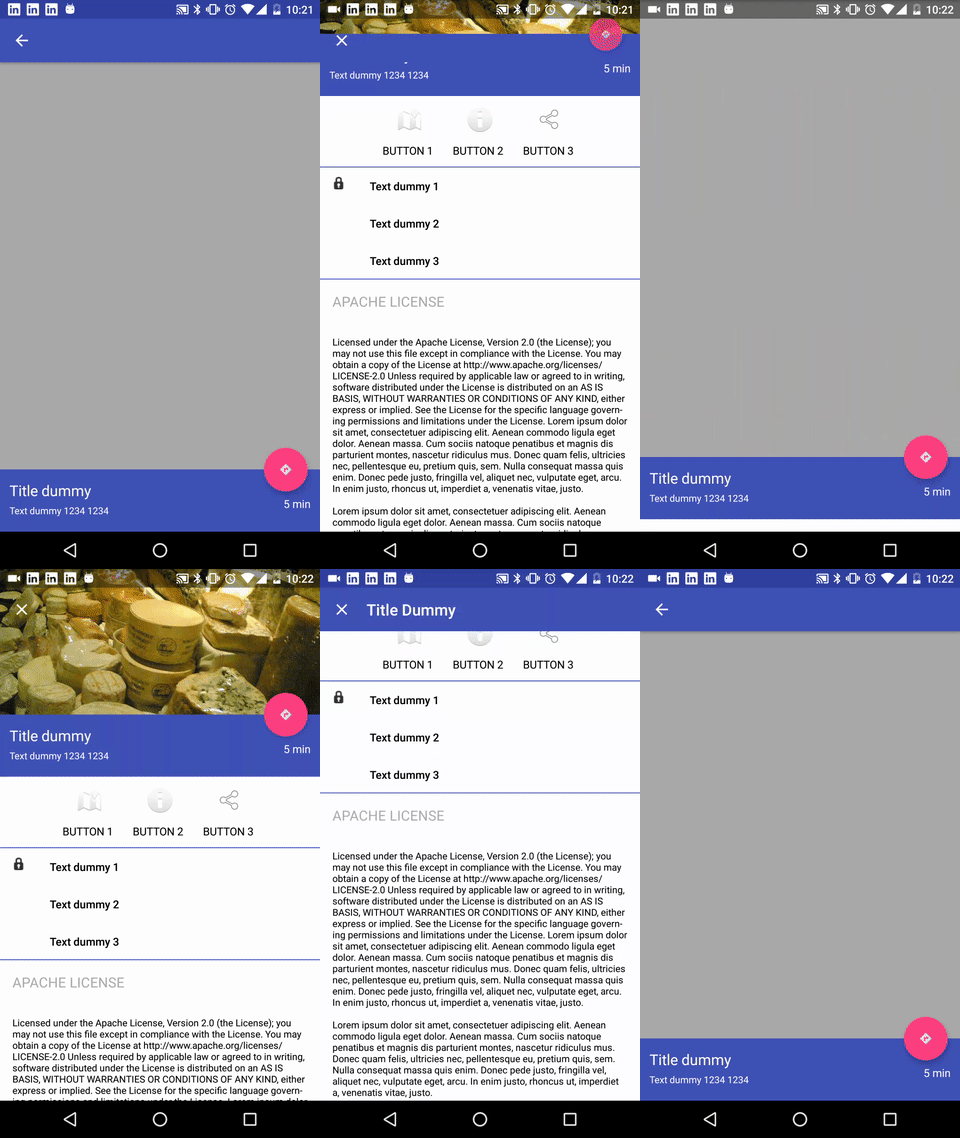
Now for the end: The Custom BottomSheet Behavior Link to the whole project (opens new window) where you can see all the Custom Behaviors And here it is how it looks like: |
| Modal bottom sheets with BottomSheetDialog The Just use: In this case you don't need to attach a BottomSheet behavior. |
| Quick Setup Make sure the following dependency is added to your app's build.gradle file under dependencies: Then you can use the Bottom sheet using these options:
|
| Modal bottom sheets with BottomSheetDialogFragment You can realize a modal bottom sheets (opens new window) using a The Just define the fragment: Then use this code to show the fragment: This Fragment will create a |
| Persistent Bottom Sheets You can achieve a Persistent Bottom Sheet (opens new window) attaching a Then in your code you can create a reference using: You can set the state of your BottomSheetBehavior using the setState() (opens new window) method: You can use one of these states: If you’d like to receive callbacks of state changes, you can add a |
| Open BottomSheet DialogFragment in Expanded mode by default. BottomSheet DialogFragment opens up in @NonNull @Override public Dialog onCreateDialog(Bundle savedInstanceState) { Although dialog animation is slightly noticeable but does the task of opening the DialogFragment in full screen very well. RemarksBottom sheets (opens new window) slide up from the bottom of the screen to reveal more content. |
 ]
]Read Article
https://develop.horje.com/learn/1434/reference