Ruby on Rails - Using GoogleMaps with Rails
| Start |
|---|
| Add the google maps javascript tag to the layout header In order to have google maps work properly with turbolinks (opens new window), add the javascript tag directly to the layout header rather than including it in a view. The You can register your application with google and get your api key in the google api console (opens new window). Google has a short guide how to request an api key for the google maps javascript api (opens new window). The api key is stored in the Don't forget to add |
| Geocode the model Suppose, your users and/or groups have profiles and you want to display address profile fields on a google map. A great way to geocode the addresses, i.e. provide Add geocoder to your Add database columns for Add the geocoding mechanism to your model. In this example, the address string is stored in the By default, geocoder uses google as lookup service. It has lots of interesting features like distance calculations or proximity search. Fore more information, have a look at the geocoder README (opens new window). |
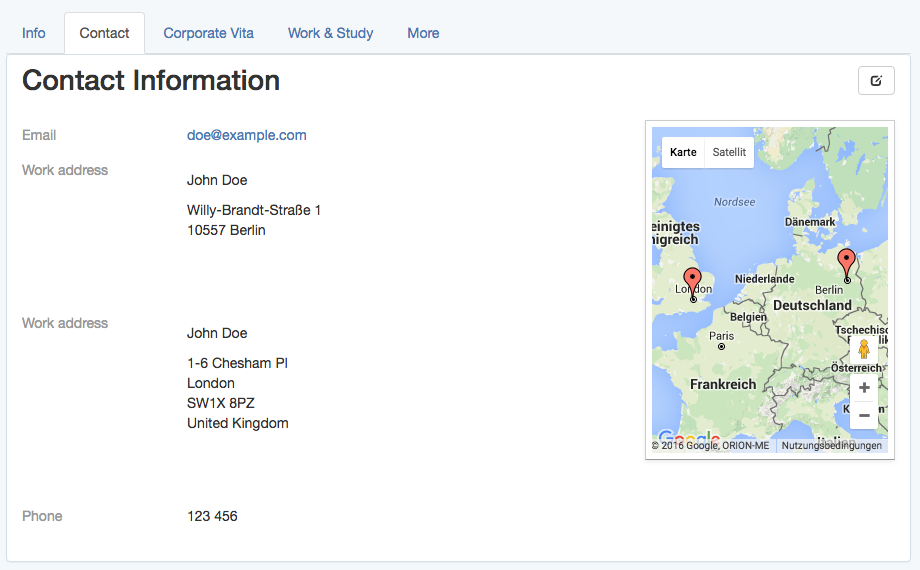
| Show addresses on a google map in the profile view On the profile view, show the profile fields of a user or group in a list as well as the address fields on a google map. The appropriate Initialize the map, place the markers, set the zoom and other map settings with javascript. |
| Set the markers on the map with javascript Suppose, there is a For example: To make use of the If you want to perform some other operations with the map, later, for example filtering or info windows, it's convenient to have the map managed by a coffee script class (opens new window). When using several coffee script files, which are namespaced by default, it's convenient to define a global Then, loop through (possibly several) |
| Initialize the map using a coffee script class. Provided an To learn more about the possible For reference, the class |
| Initialize the map markers using a coffee script class Provided an To learn more about marker options, have a look at google's MarkerOptions documentation (opens new window) and their guide to markers (opens new window). |
| Auto-zoom a map using a coffee script class Provided an To learn more about bounds, have a look at google's LatLngBounds documentation (opens new window). |
| Exposing the model properties as json To display address profile fields as markers on a google map, the address field objects need to be passed as json objects to javascript. Regular database attributesWhen calling Given a which is converted to a json string by This is useful because it allows to use Other attributesOther virtual attributes can be exposed by overriding the For example, to expose a The above example uses To understand the difference between PositionTo render markers, the google maps api, by default, requires a This position hash can be created in javascript, later, or here when defining the json representation of the address field: To provide this |
Read Article
https://develop.horje.com/learn/1434/reference